
The right AI video tool depends on what is missing from your product clip. Generating movement from a still photo, editing several clips into an advertisement, and improving blurry footage are different tasks. Choose the task first, then compare product accuracy, effort, and the file you can actually export.
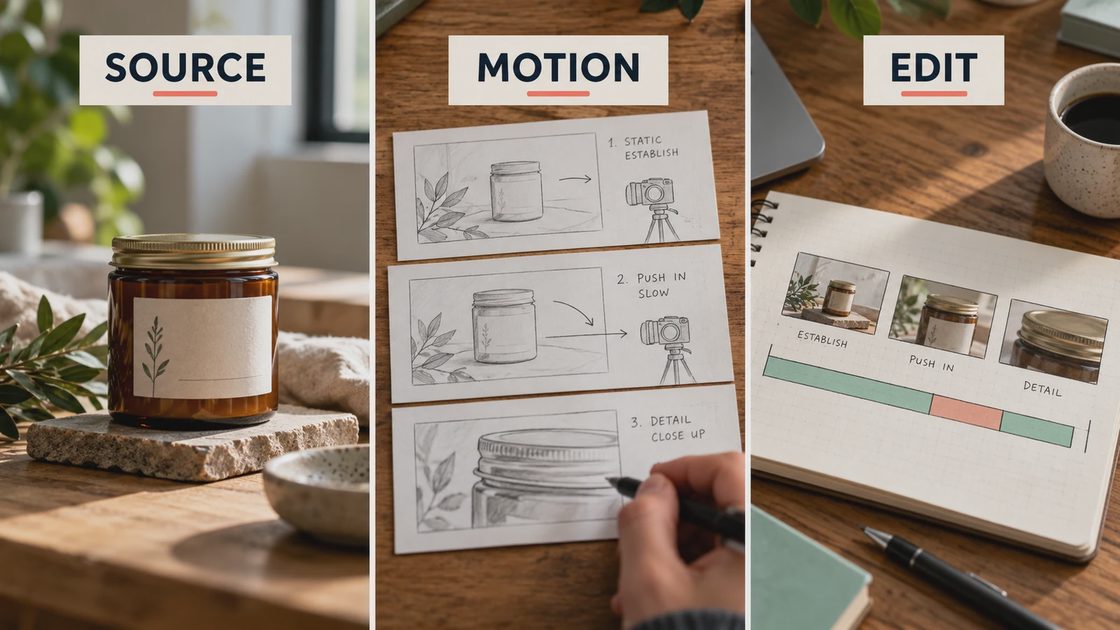
This is a task-based selection guide grounded in official feature documentation, not a scored hands-on ranking. The product and storyboard illustrations explain comparison criteria; they do not show measured results from competing vendors. Checked October 27, 2026, with account-specific access and charges still requiring verification before purchase.
Start With the Output You Need
Searching for the best AI video editing tools in 2026 can lead to tools that solve entirely different problems. A model that generates an impressive shot may offer little control over final captions, while a capable editor may never generate new product motion.
What you already have | What is missing | Tool category to evaluate |
|---|---|---|
One approved product photograph | Natural-looking movement | Image-to-video generation |
Several usable clips | Timing, captions, sound, and layout | A timeline editor with relevant AI assistance |
A soft or noisy recording | Better existing footage | AI video enhancement |
A finished clip | A different crop or placement | Editing and export tools |
My preference for a small shop is the shortest workflow that preserves the product and produces the required deliverable. Buying a more capable generator does not help when the actual problem is a badly timed caption.
Write the final brief before opening free trials: a short product clip, intended aspect ratio, required text, audio needs, and the details that must remain recognizable. This makes the comparison less vulnerable to impressive but irrelevant demos.
Compare Generators on Product Consistency
For a still photograph that needs motion, evaluate an image-to-video route such as Runway or Grok Imagine. Runway's getting-started documentation describes uploading an image and prompting for motion. xAI's image-to-video documentation likewise uses a starting image plus a motion description.
That establishes the documented category, not which tool preserves your bottle best. To find that out, use the same approved source, a comparable simple movement, and the settings you can actually access.
Inspect the product throughout the clip. A label may begin correctly and become invented marks halfway through. A handle can briefly stretch during a camera move even if the first and last frames look reasonable.
AI video tools' product consistency should be judged against rejection criteria written in advance: shape, text, material, and the intended movement. Avoid declaring a winner based only on the most cinematic selected output.
Compare Editors on the Work After Generation
Once you have a usable shot, you may need to trim its weak ending, combine it with another clip, add readable campaign text, and control sound. That is an editing task even when the source clip was generated by AI.
CapCut's online editor page describes a browser-based editing route. Treat current premium features, asset permissions, and export conditions as items to verify in your account rather than assuming every advertised capability is free.
For an AI video tools comparison, ask how easily you can make the actual revision. Can you shorten the clip without regenerating it? Keep a price as editable text? Export the required crop? Correct a subtitle without rebuilding the image?
A workflow that requires regeneration for every wording change is often poorly matched to promotional content. Keep time-sensitive offers and exact brand copy in an editable layer when possible, and reserve generated visuals for the imagery and movement they need to provide.
Use Enhancement for the Right Source Problem
Topaz's Motion Deblur documentation addresses a specific enhancement task. It should not be treated as a substitute for an image-to-video generator or as a way to correct a product that changes shape.
If existing footage has directional blur, test a short section before processing the entire file. If the source has severe missed focus, compressed labels, or generated anatomy errors, more sharpening may not solve the underlying problem.
Compare moving playback as well as paused frames. Added detail that flickers across frames can be less useful than a slightly softer but stable clip. Choose enhancement only if it improves the footage without changing the product information you need to show.
Run a Small, Fair Comparison
Use one source image or recording and one specific task. Keep the output requirements aligned, and record any differences that prevent a direct comparison.
Save the source and write a short creative brief.
Define what makes an output unusable before generating.
Record the model or feature, settings, and actual charge shown.
Keep all attempts, including rejected ones.
Download and inspect the files outside the vendor preview.
Do not compare a low-cost draft in one tool with a higher-quality production mode in another without saying so. Similarly, an account with restricted access does not establish what every paid plan can do.
Keep waiting time separate from active editing time. A generation that sits in a queue creates a scheduling problem; an export requiring repeated manual fixes creates a labor problem. Record both without presenting one afternoon's queue as a permanent service benchmark. For a small campaign, the practical question is whether the workflow fits your deadline and available attention.
The top AI video editing tools and models in 2026 are not one interchangeable category. Compare generators with generators for motion, editors for finishing, and enhancers for repair. Then compare the cost of the complete chain you would actually use.
Read Free Limits as Production Constraints
AI video tools' free limits can include one-time credits, limited models, queue restrictions, export conditions, or feature gates. Check the terms for the exact account and operation before planning a production batch.
Runway's pricing page currently describes a free allocation of 125 one-time credits. “One-time” matters: it is not a monthly production allowance. Current model access and the charge for your chosen operation must still be checked in the interface.
For AI product video generation cost, distinguish money paid from credits allocated to the project. A subscription may require a full payment even if you use only a small part of its allowance. A cheaper generation can also become expensive if most outputs fail your product checks.
Keep the currency separate for each service. Credits from different vendors are not comparable units. Compare the actual cost and usable output for the specified task instead of ranking providers by the largest credit number.
Record taxes or other checkout charges separately when they apply.
Test the Export, Not Just the Preview
AI video editor export quality needs its own acceptance step. Open the download in your editing application and on a device similar to the intended audience's. Check dimensions, crop, frame rate, text, audio, and whether any restrictions affect publication.

A file can look clean in a fitted preview while revealing unstable lettering when viewed normally. A watermark or inaccessible export option can also make an otherwise good result unsuitable for the campaign.
Inspect the whole clip for product changes, not just the thumbnail. Keep a reference image nearby while scrubbing through the movement, and check the frames where the camera move becomes most pronounced.
Also compare one practical revision across candidates, such as changing an offer while preserving the approved footage. Count the steps and any extra payment actually required. This exposes workflow friction that a feature list misses, without turning a single example into a universal usability score.
Choose the Smallest Useful Tool Chain
If you already have good footage, start with an editor. If you have only a photo and need genuine generated motion, test an image-to-video tool. If your recording is otherwise usable but blurred, try a targeted enhancement preview.
Combining tools can be sensible when each performs a clear job. It becomes wasteful when subscriptions overlap without removing a real production obstacle. Keep a service only if it contributes a usable result, needed control, or meaningful reduction in work.
Before signing up for another tool, write the missing task in one sentence. If that sentence says “I need captions and a clean vertical crop,” do not start by paying for a more elaborate product-motion model.